How the Internet Works
Overview
This activity is an interactive demonstration of what happens when you type a URL into a browser.
In this activity the students will be guided to act out the various parts of the internet: websites, routers, name servers, ISPs and home computers. In this activity, students will:
- Learn the difference between a switching (phone system) and routing (internet) network
- See how packets are routed through the internet
- See how the internet routes around damage
- See how domain name servers are used to lookup an IP address
It is designed for 8-13 students, but fewer or more can be accommodated if needed.
Description
This activity is described in the following blog posts:
- How the Internet Works - Part I - Overview
- How the Internet Works - Part II - Phone System
- How the Internet Works - Part III - Internet Routing
- How the Internet Works - Part IV - DNS
Documents
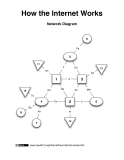 |
Part I - Network map (to create on floor)
(PDF)
|
 |
Part II - Phone system (labels for network nodes)
(PDF)
|
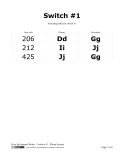 |
Part II - Phone system (switching tables)
(PDF, OpenDocument (.odt))
|
 |
Part III - Internet Routing (labels for network nodes)
(PDF)
|
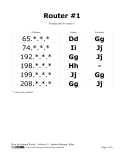 |
Part III - Internet Routing (routing tables)
(PDF, OpenDocument (.odt))
|
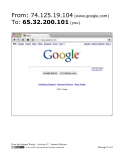 |
Part III - Internet Routing (packets 1-1 to 1-4)
(PDF, OpenDocument (.odt))
|
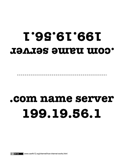 |
Part IV - DNS (name server labels)
(PDF)
|
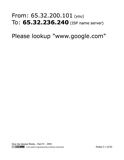 |
Part IV - DNS (packets 2-1 to 2-8)
(PDF, OpenDocument (.odt))
|
 |
Part IV - DNS (packets 3-1 to 3-12)
(PDF, OpenDocument (.odt))
|
Credits
This activity and all the documents were created by Gary Kacmarcik.
These documents are licensed under a  Creative Commons Attribution-Share Alike 3.0 Unported License